

Insights
Introducing Insights on the new Onmo app
My Role: Visual Design (UI) | Tools: Figma 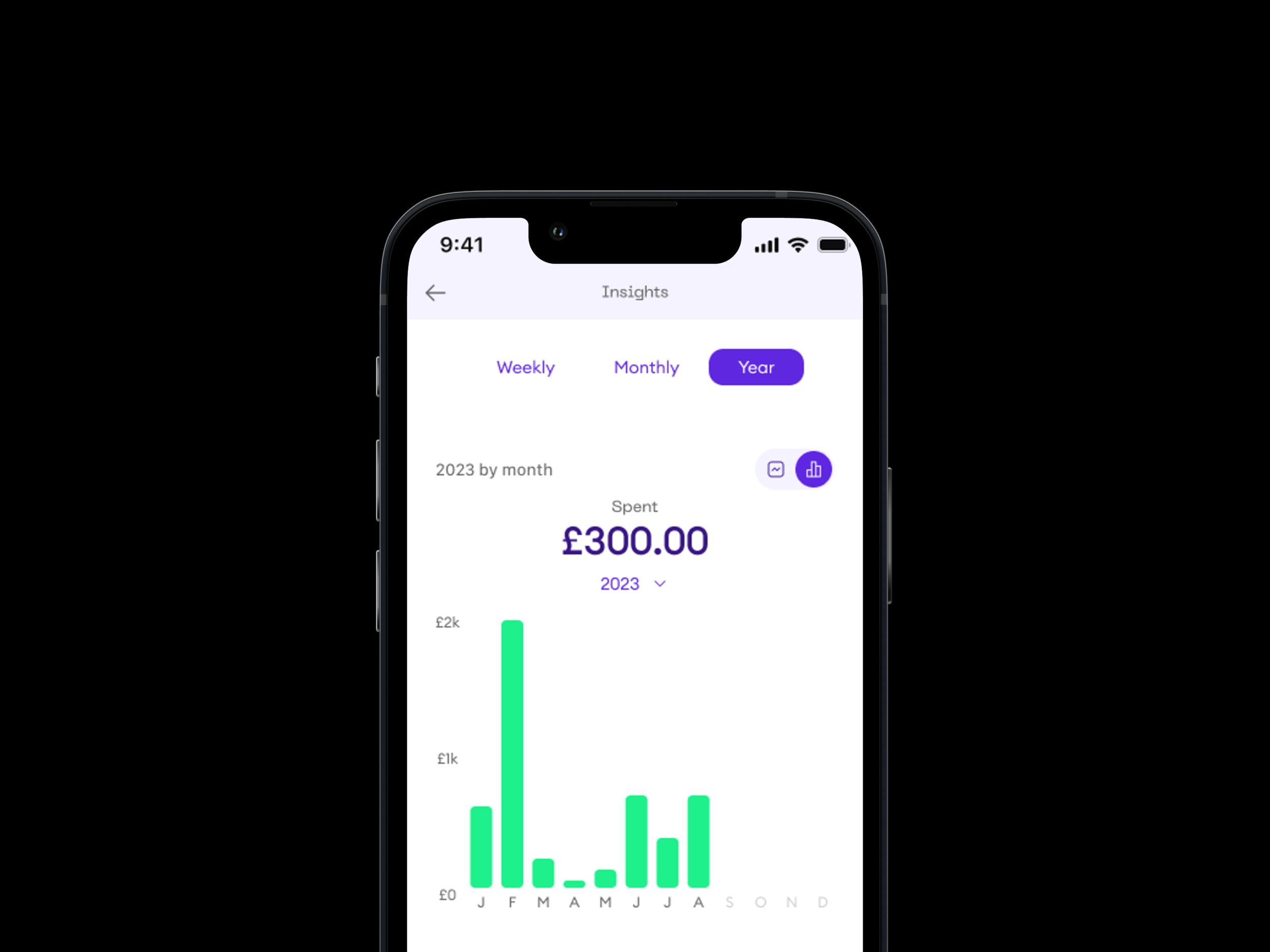
Design Process
Feedback from User Testing for First Designs
Benchmarking/Competitor Analysis
Key Findings/Common Trends from Benchmarking
Initial UI Explorations
Category Exploration
Feedback Session and Improvements
Colour Exploration & Category Pages
Problem/Challenge
We aimed to enhance the Insights feature on the new Onmo app to provide users with more valuable and actionable financial information. While the initial concept received positive feedback, it needed to align better with our new branding and include additional features like yearly spending and financial recommendations.
Solution
To meet this challenge, I focused on gathering competitive research, improving the initial designs, and exploring new features. The design process included user feedback, competitor analysis, and iterative design improvements to ensure a comprehensive and user-friendly Insights feature.
Benefits of Insights to Customers
Enhanced Financial Awareness: Users can monitor their daily, monthly, and yearly spending.
Better Budgeting: Insights help users understand spending patterns, aiding in effective budgeting.
Richer Information: Detailed category insights and financial recommendations provide deeper understanding and actionable advice.
Design Process
Feedback from User Testing for First Designs
Benchmarking/Competitor Analysis
Key Findings and Common Trends from Benchmarking
Initial UI Explorations
Category Exploration
Feedback Session and Improvements
Colour Exploration & Category Pages
Feedback from User Testing for First Designs
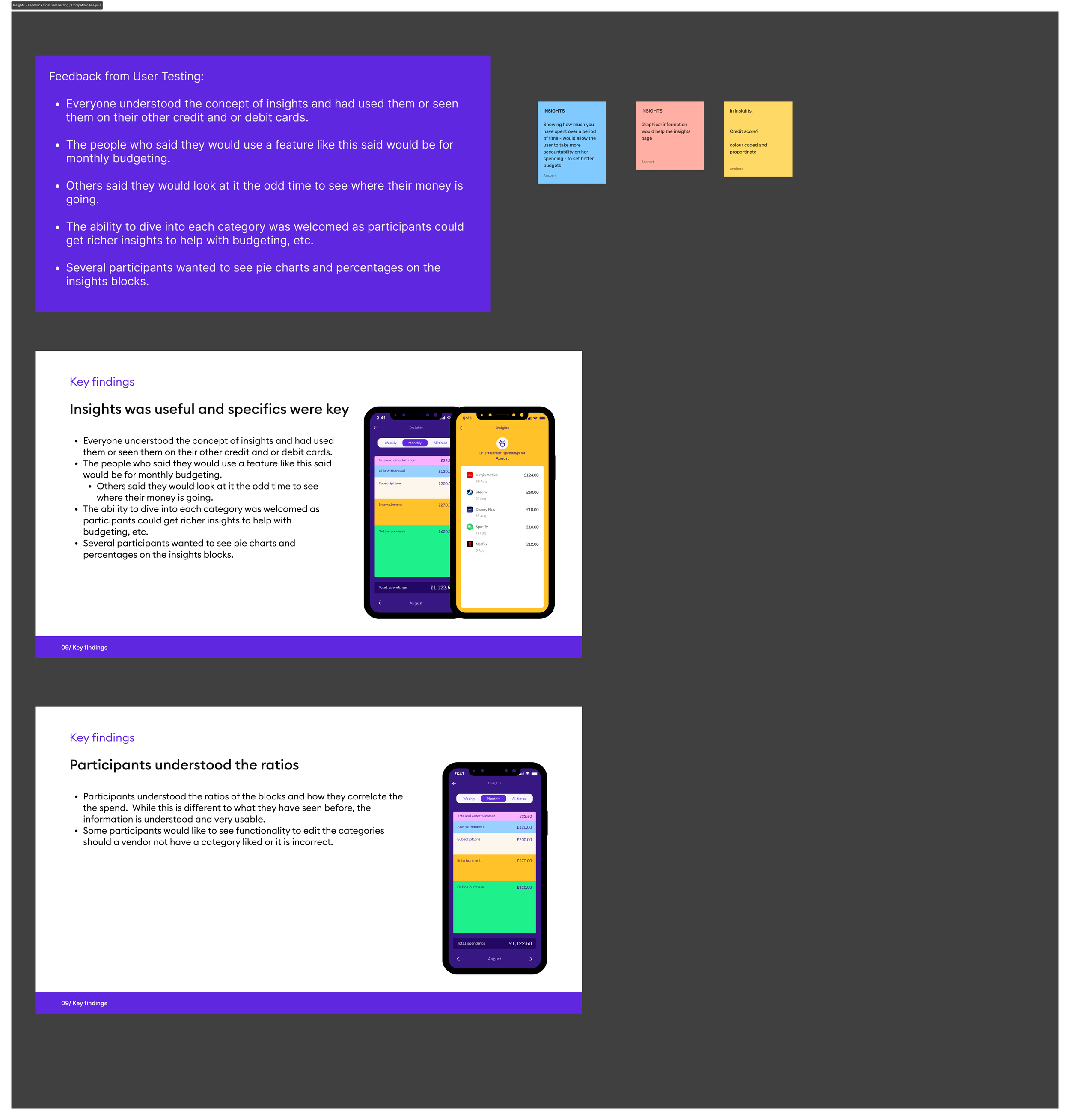
User Feedback Summary:
Understanding and Usage: Participants understood the concept of insights and had used similar features on other credit or debit cards.
Monthly Budgeting: Users who would use this feature often did so for monthly budgeting.
Occasional Checking: Some users would check insights occasionally to see where their money was going.
Category Dive: The ability to dive into each category for richer insights was welcomed.
Visual Preferences: Several participants wanted pie charts and percentages on the insights blocks.
Benchmarking/Competitor Analysis
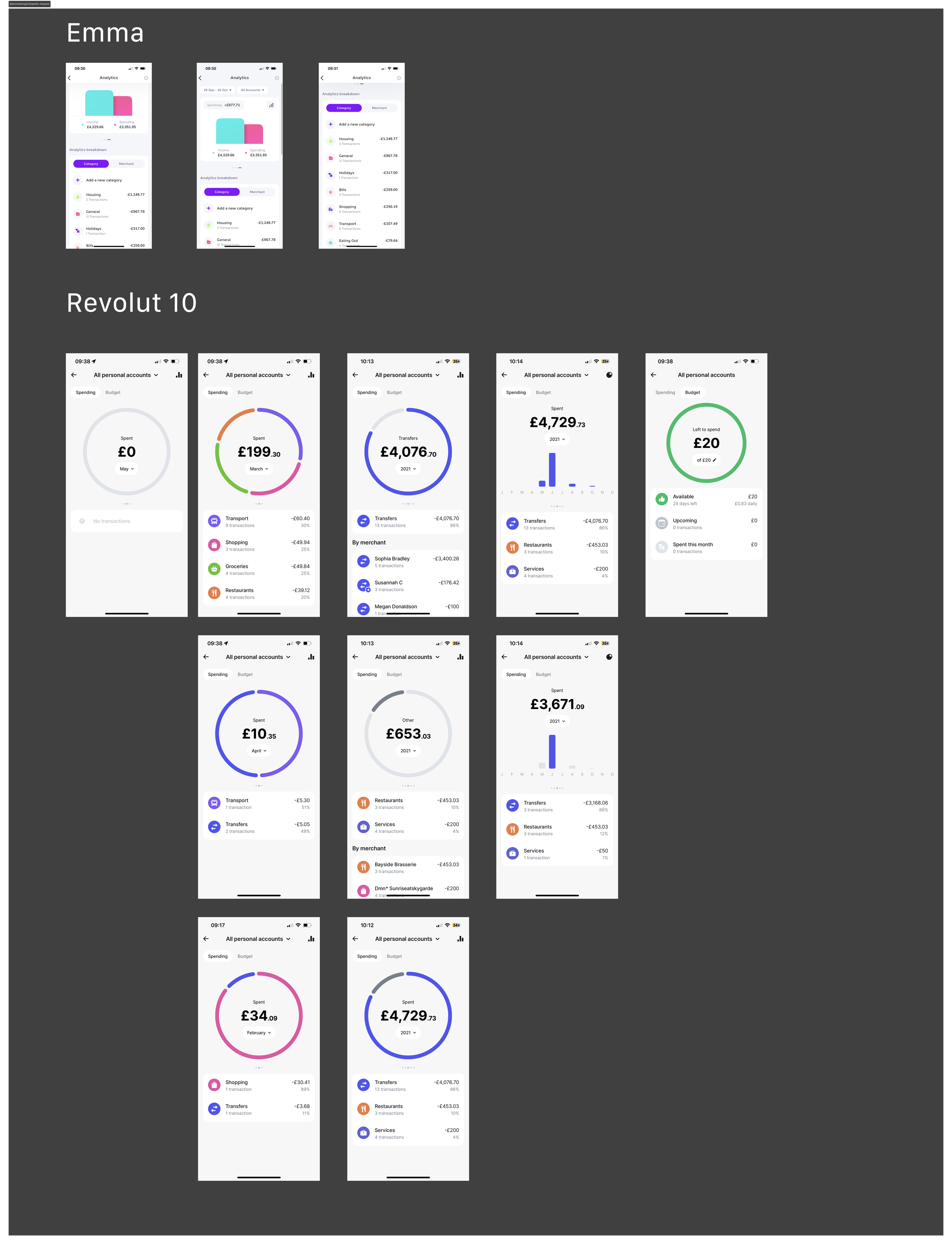
I benchmarked against leading apps like Revolut, Monzo, and Chase to identify key trends and best practices.
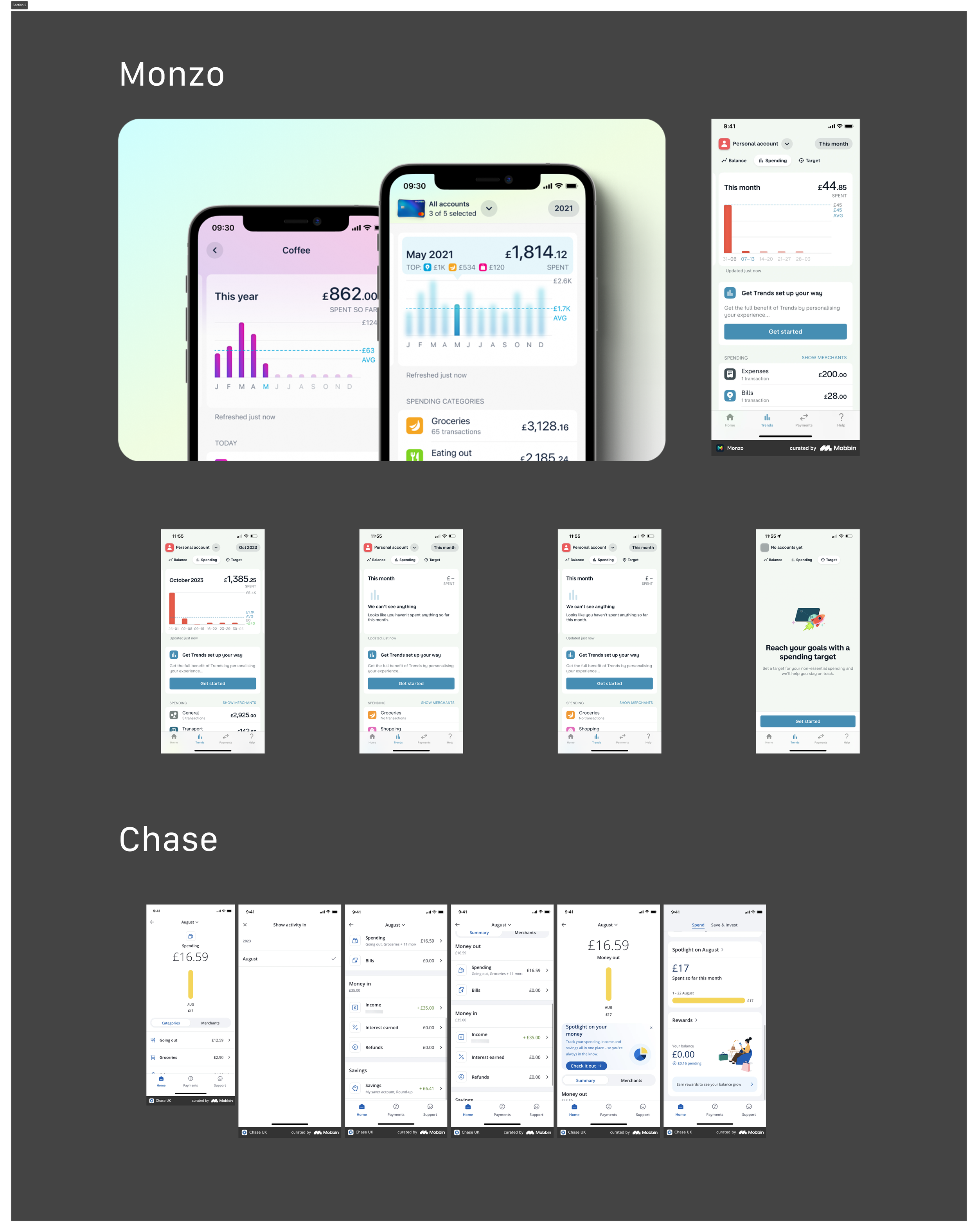
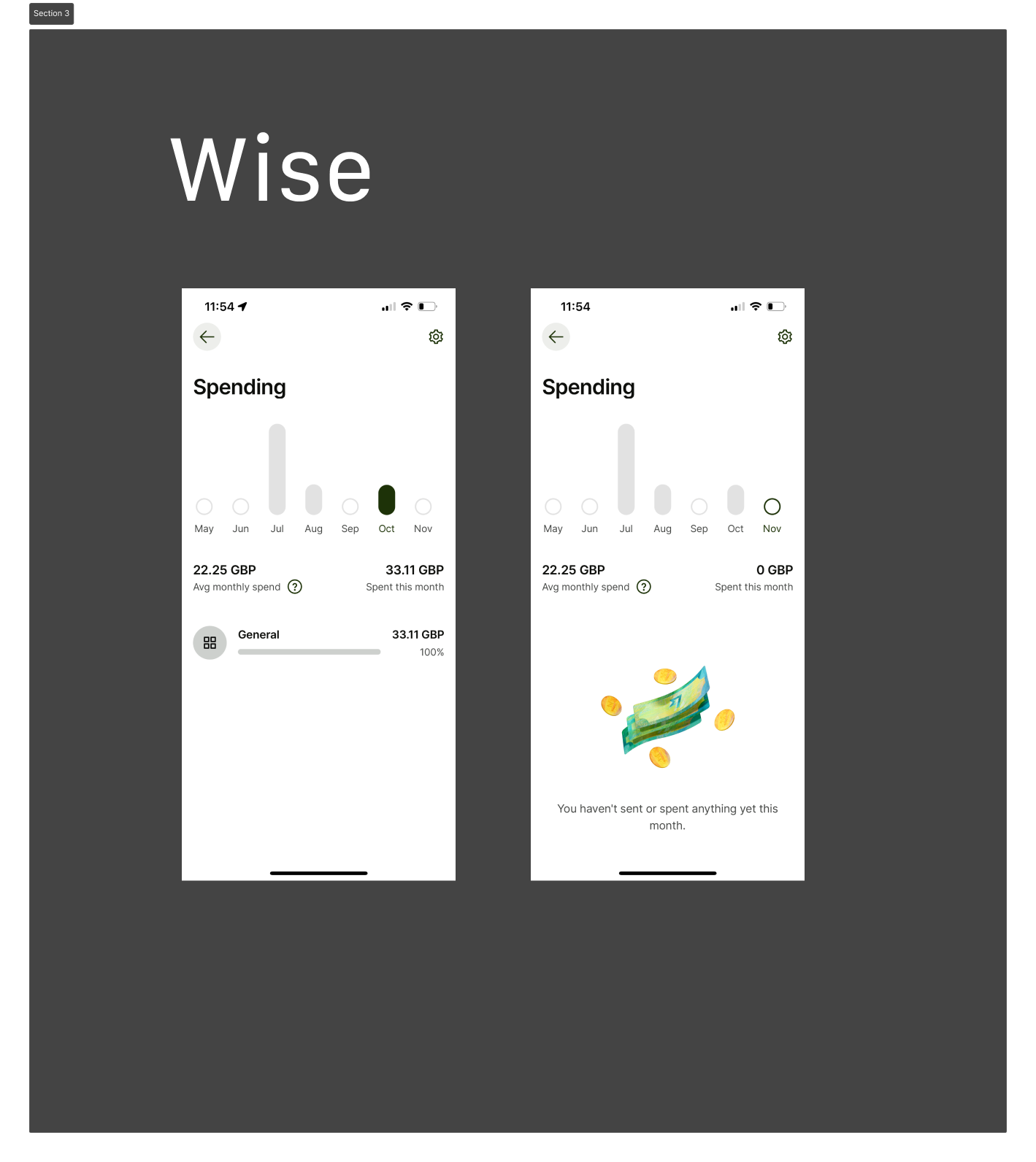
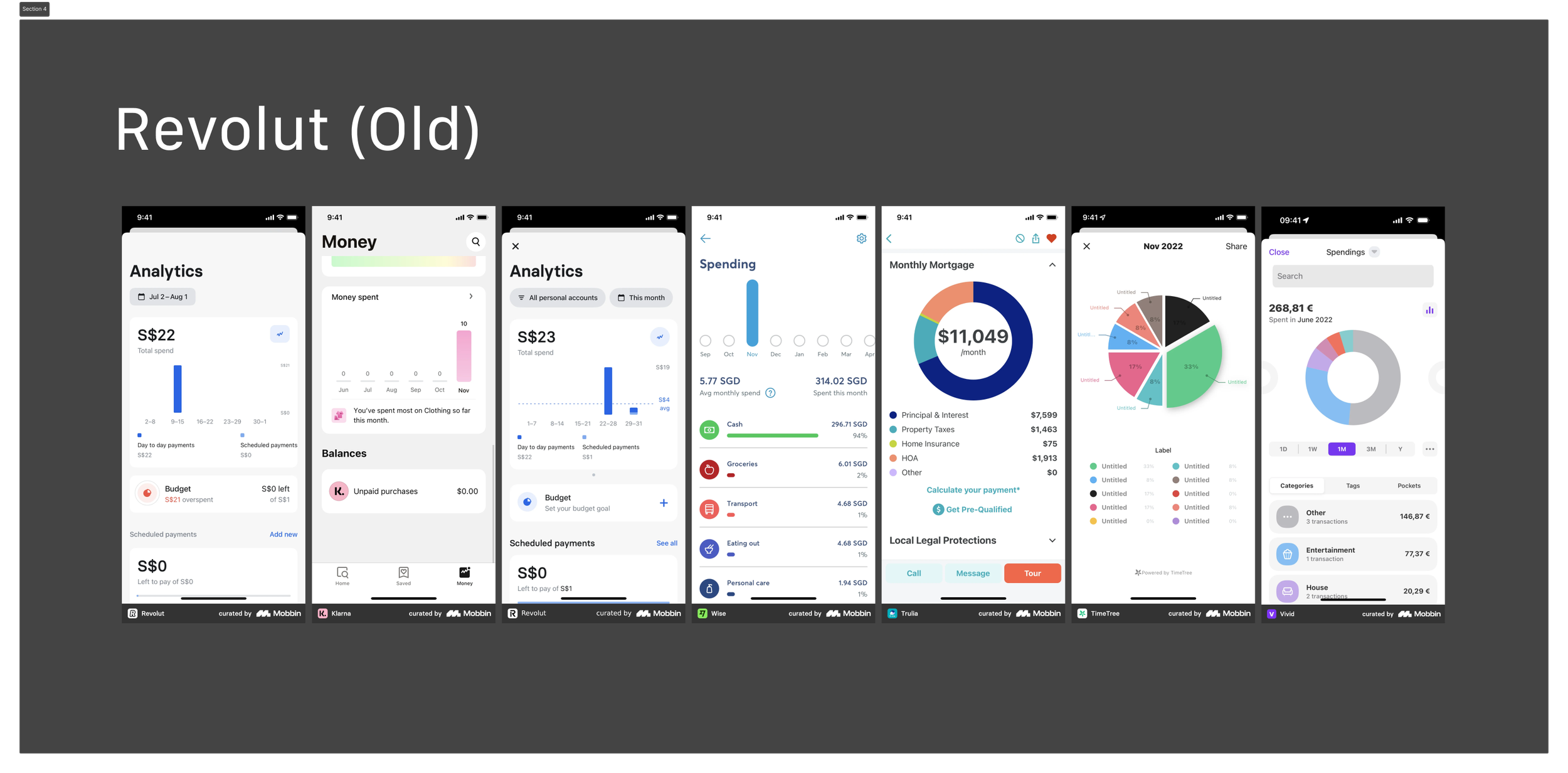
Key Findings and Common Trends from Benchmarking
Key findings showed a common layout for insights, which influenced our approach to improve and differentiate our design.
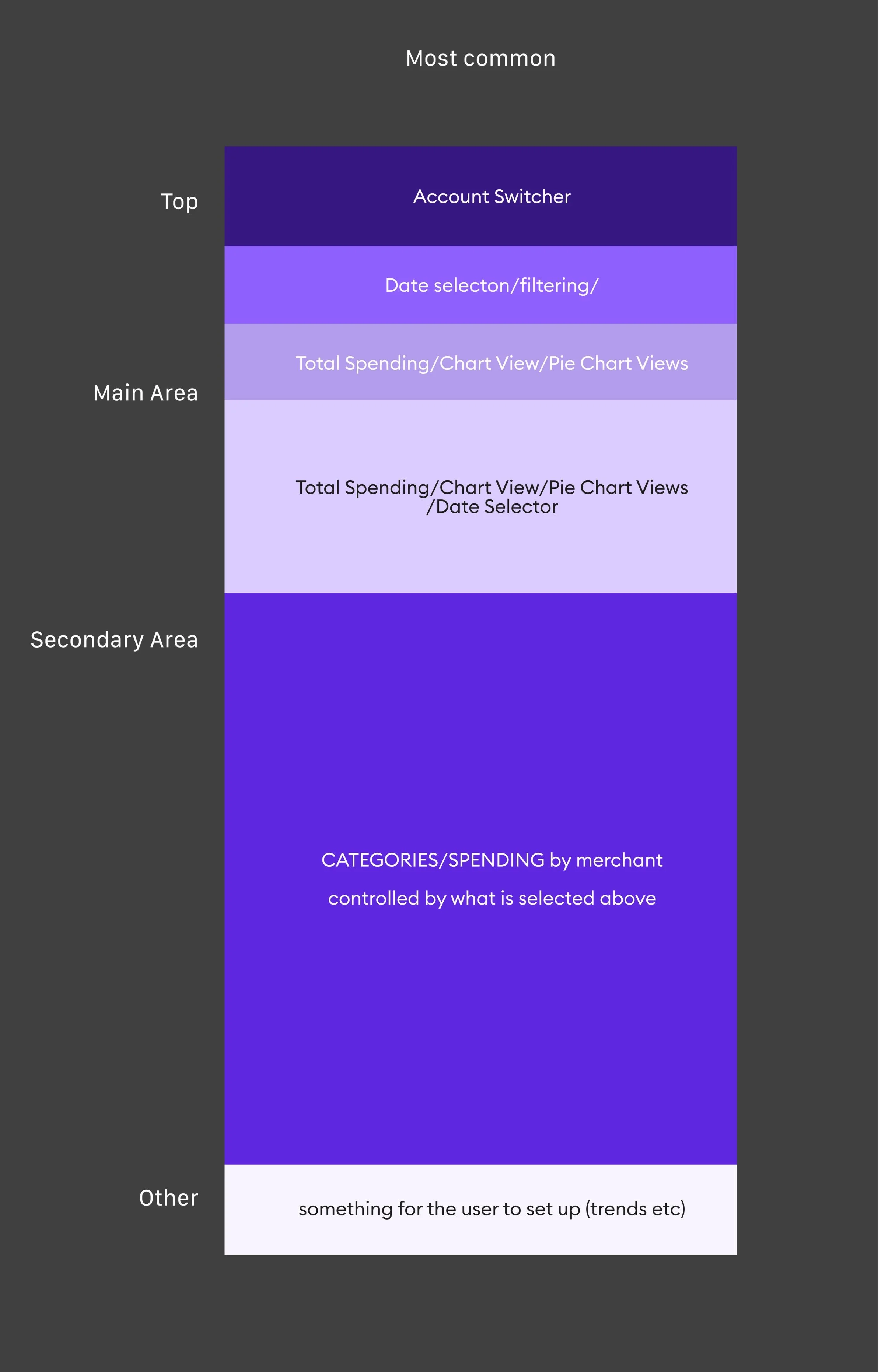
Initial UI Explorations
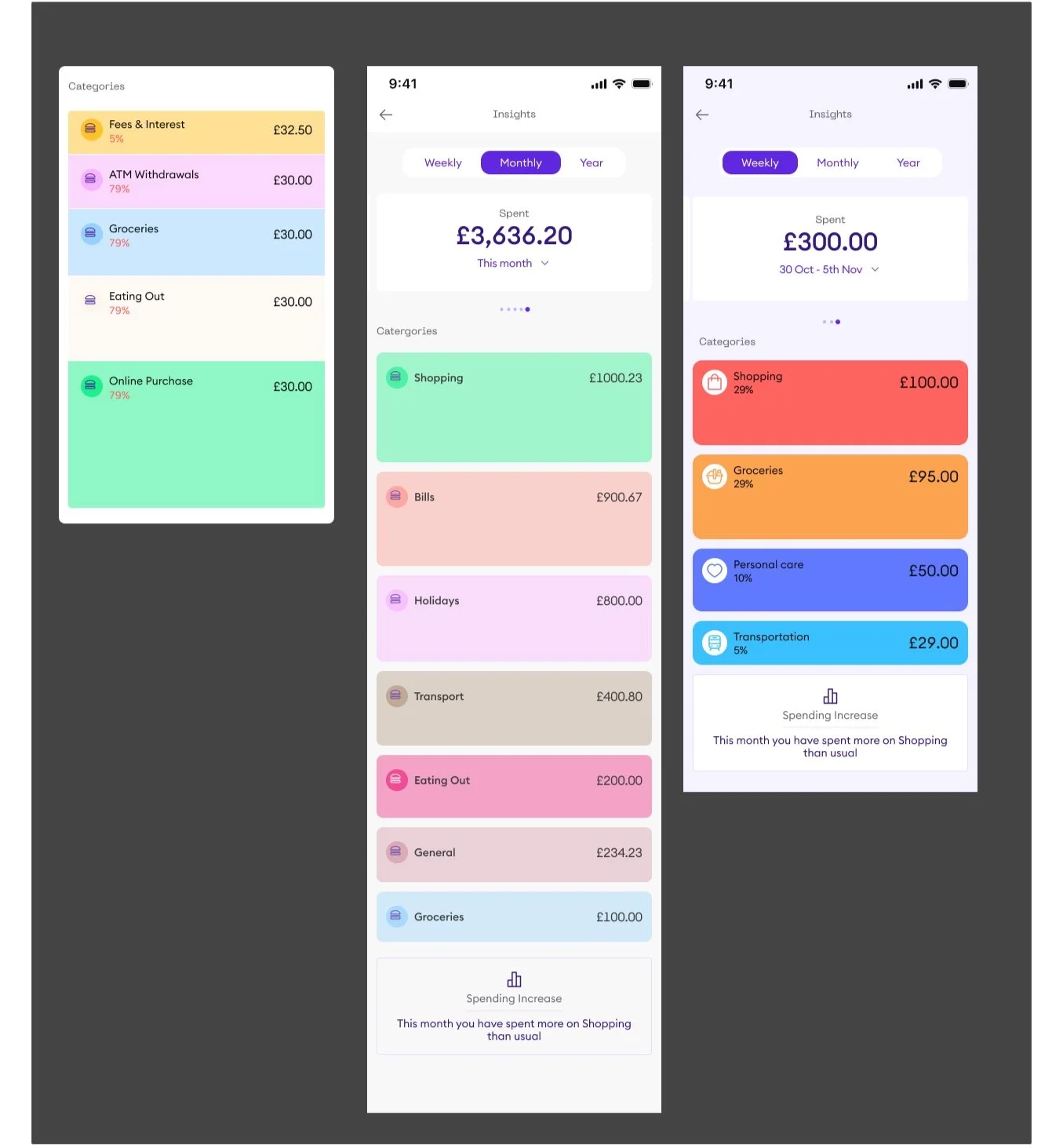
I explored various UI designs to present the insights in a user-friendly and visually appealing manner.
Category Exploration
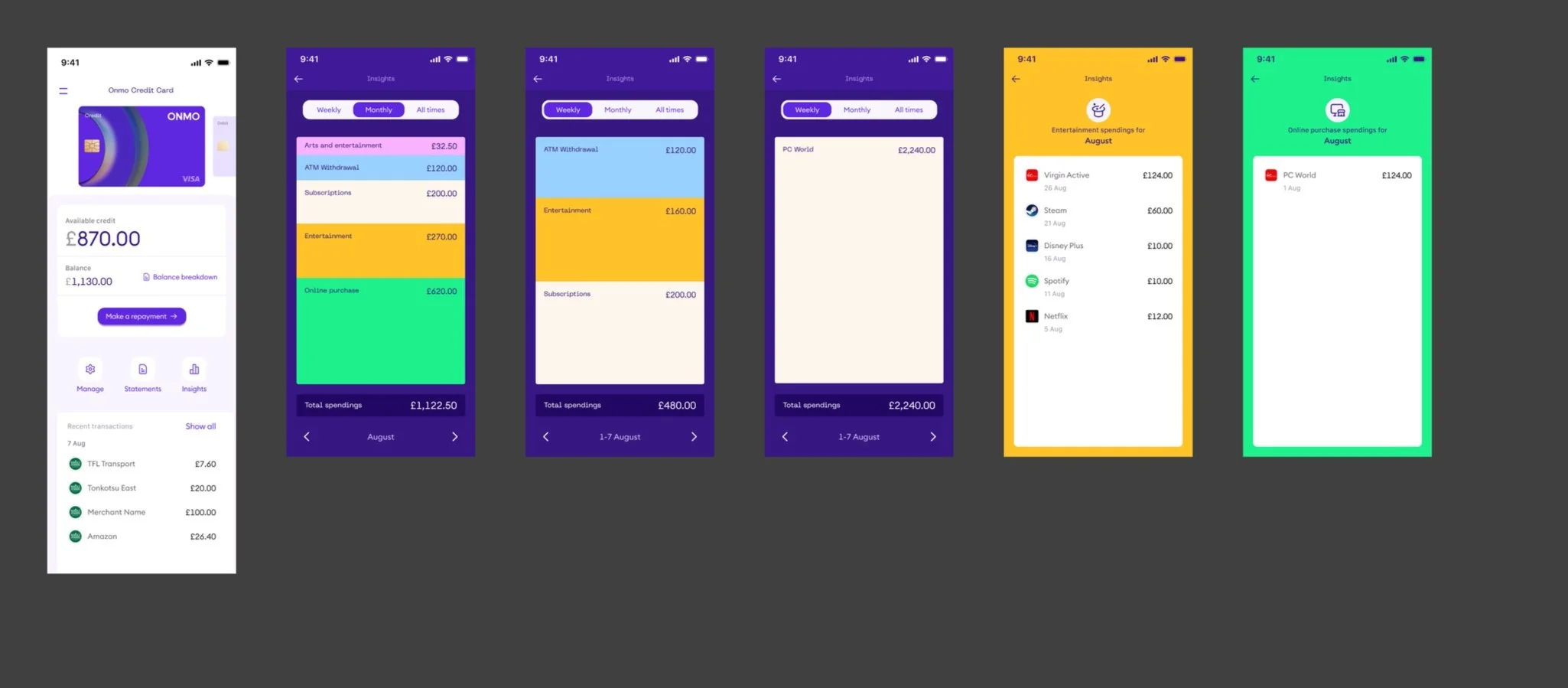
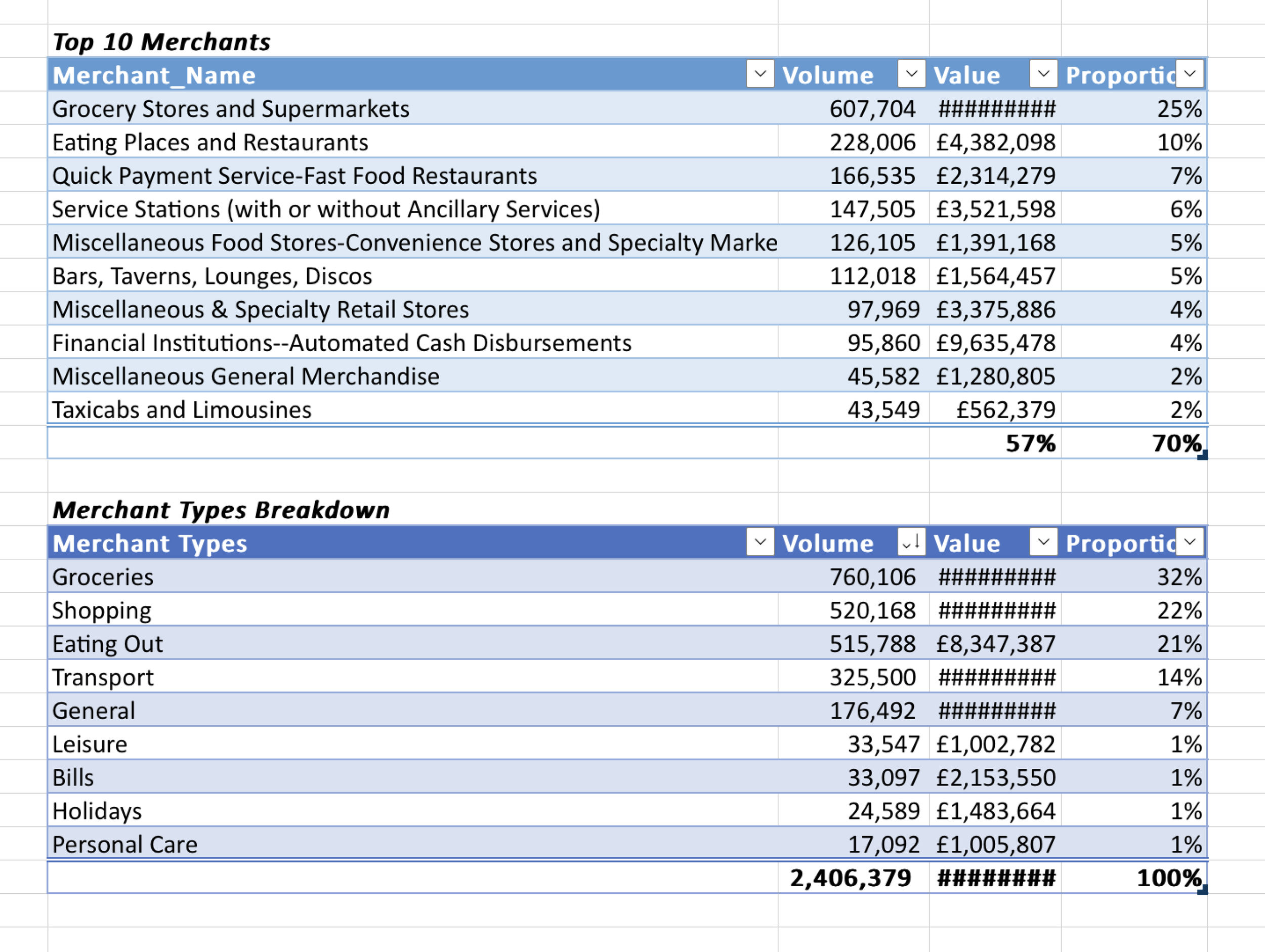
I gathered category information from our data analyst, which helped us determine the top categories. This information was beneficial for our design because it allowed us to tailor the Insights feature to reflect the most relevant spending categories for our users. We opted for a design that displays categories by size, providing a unique visual representation. This approach allows users to see at a glance which categories they have spent the most on, with larger category boxes indicating higher spending.
Feedback Session and Improvements
After initial designs, we conducted feedback sessions to refine the design further. The feedback was crucial in making the design more usable and visually appealing.

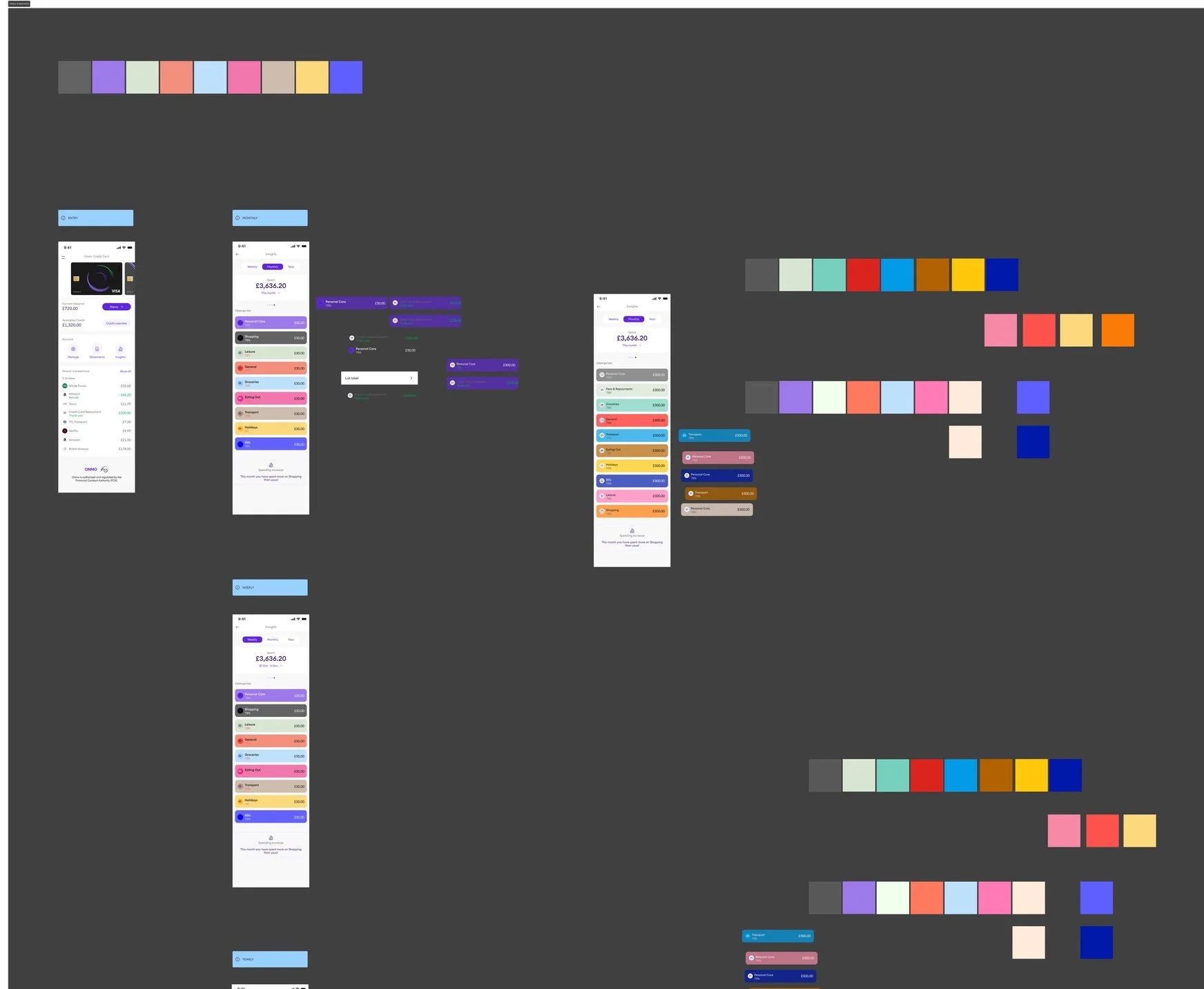
Further Exploration/Defining of Colours for Categories
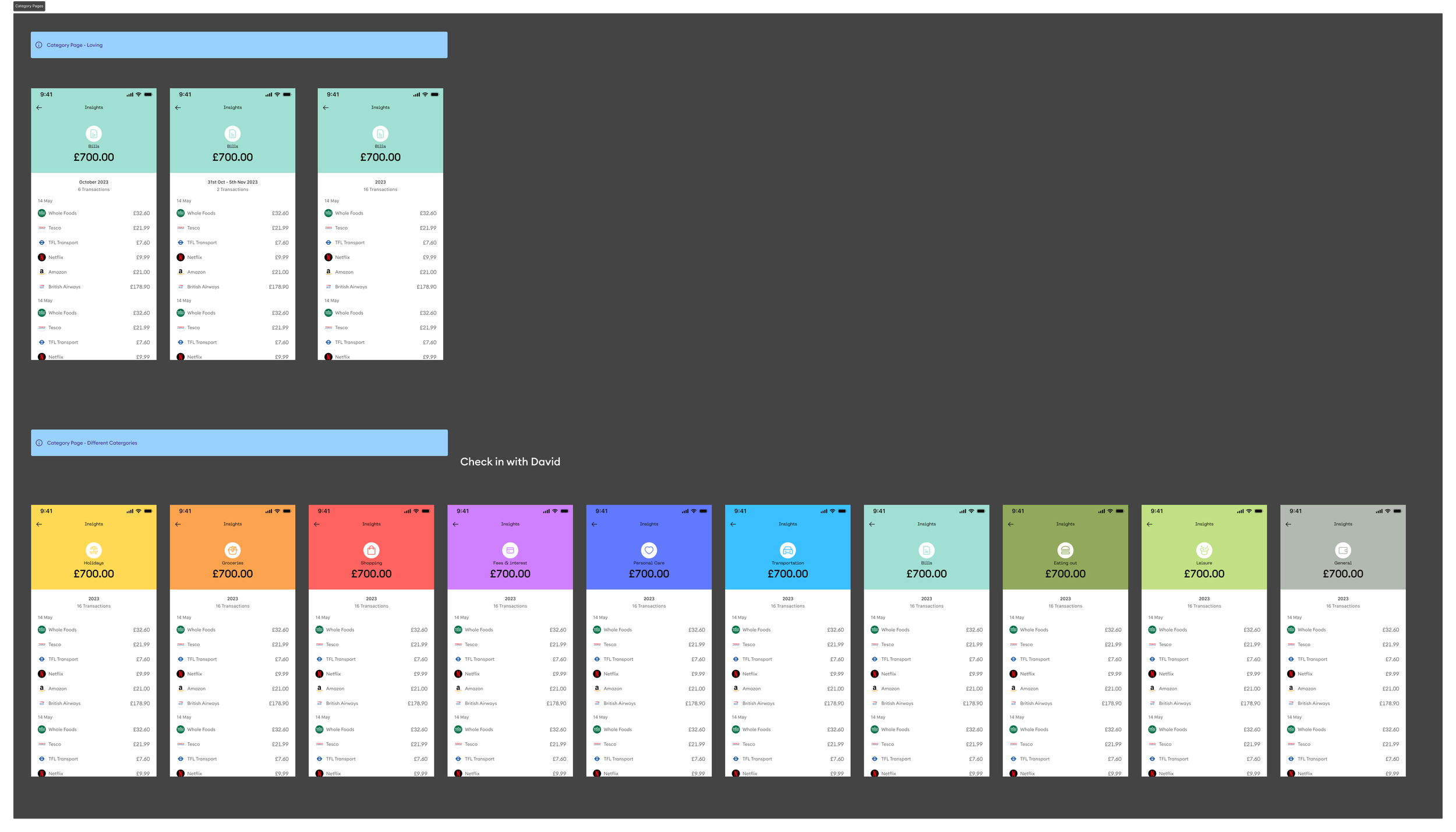
I explored different colors and layouts for categories to ensure they were easily distinguishable and visually coherent.
Final Version Highlights
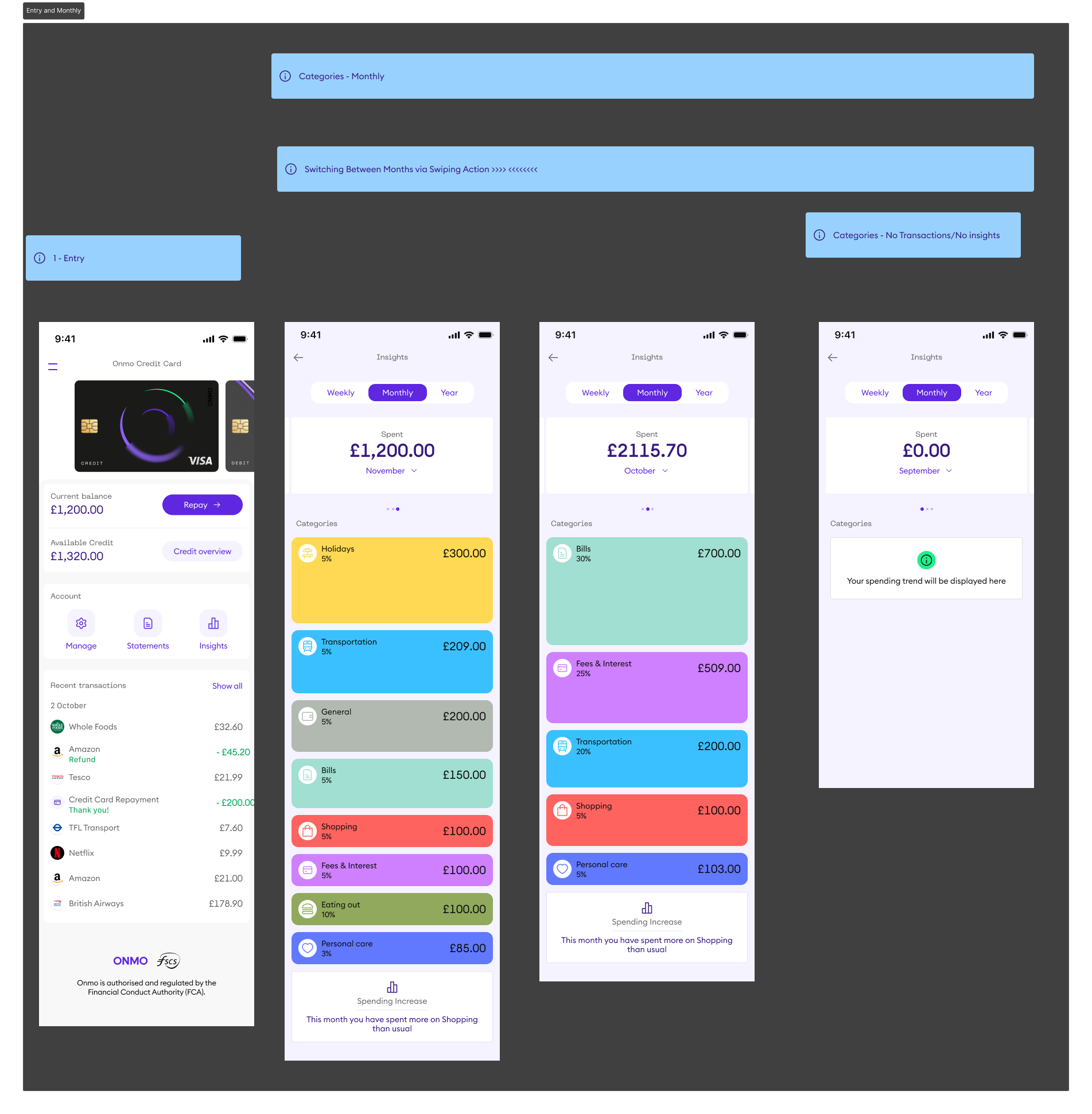
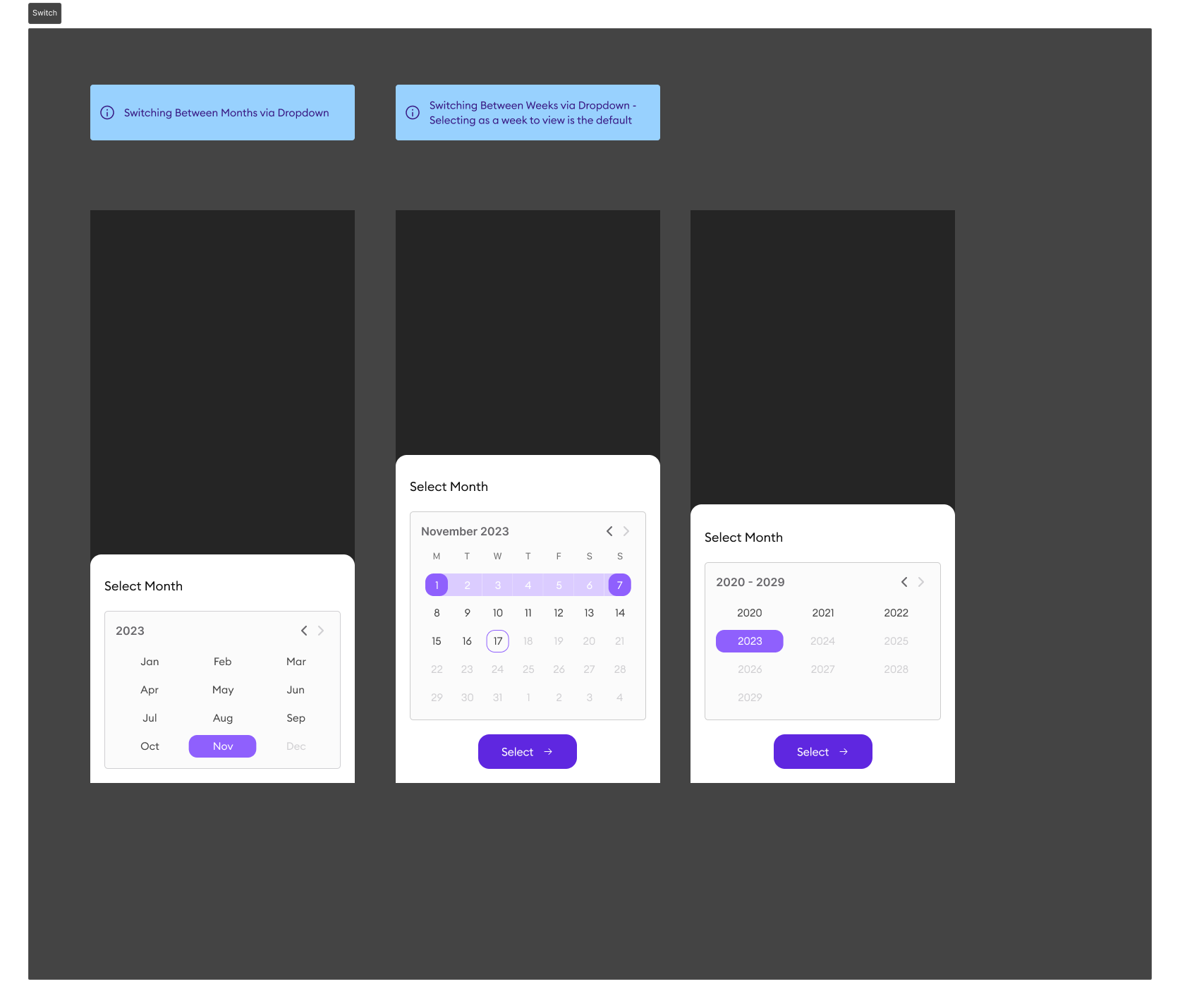
Transitions: Smooth transitions from month to month and category expansion.
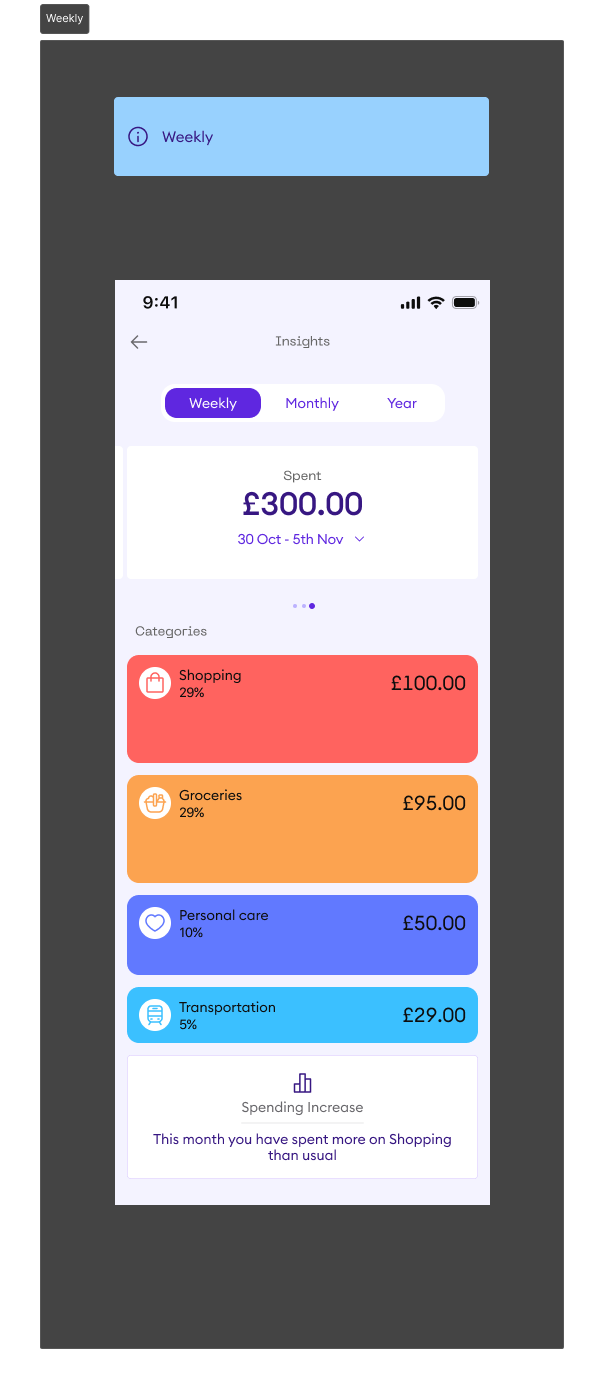
Weekly and Monthly Views: Enhanced weekly and monthly views for detailed spending analysis.
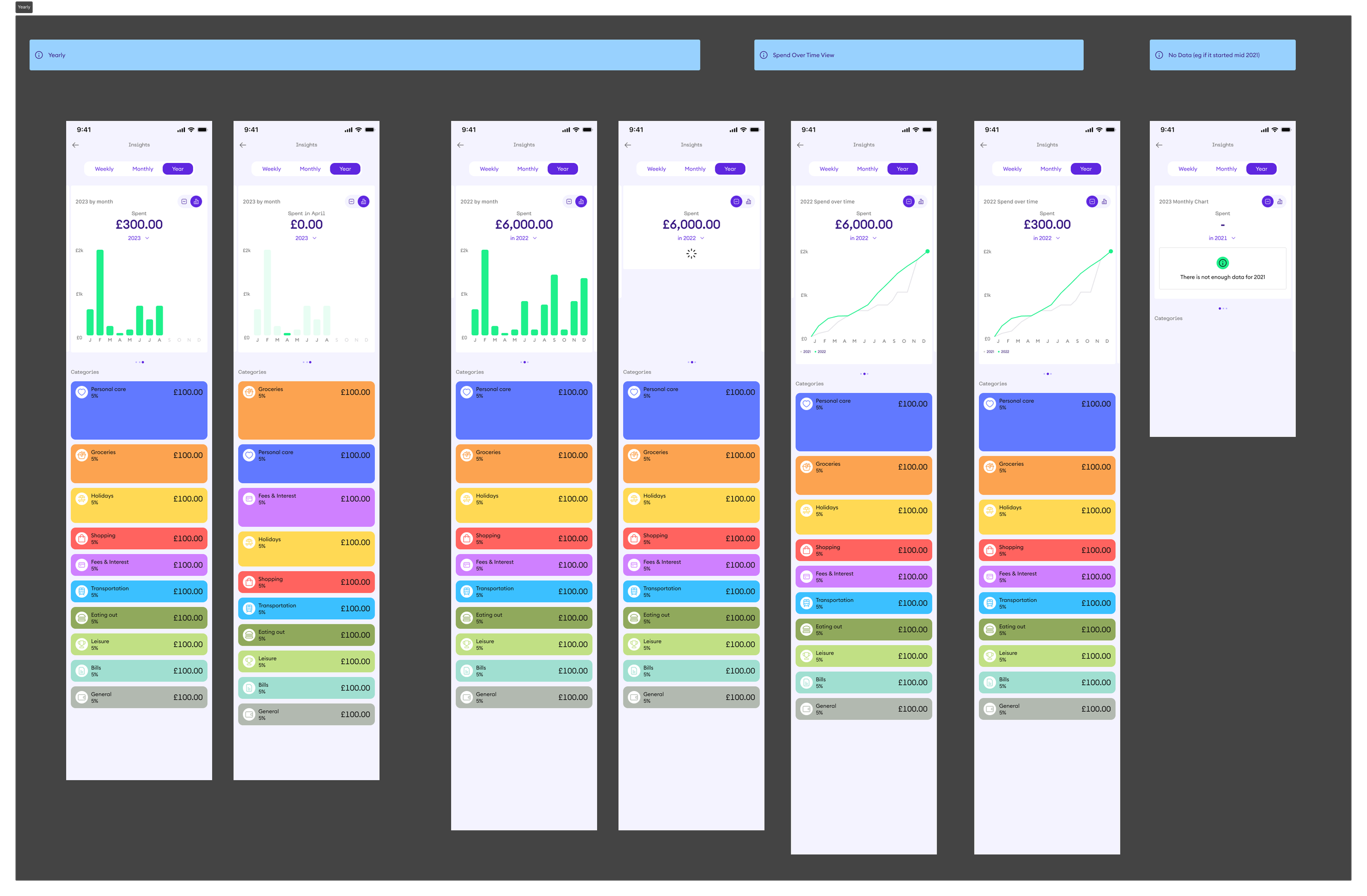
Yearly Overview: Improved yearly section for a comprehensive overview of annual spending.
Financial Recommendations: Included placeholders for financial recommendations to help users improve their spending habits.
Credit Overview: Explored ways to integrate a credit overview for a complete financial picture.
Insights
Weekly Insights
Yearly Insights
Switching between months / weeks via dropdown
Category Pages
Conclusion
The redesigned Insights feature on the Onmo app is now more aligned with our branding and provides users with a comprehensive, user-friendly tool to monitor and manage their finances effectively. The Insights feature is set to be handed over to developers for careful evaluation and will be included in the second release of our new app.