

Onmo Motion Library
Introducing a standard motion specification for the new Onmo Mobile app
My Role: Product Design (UX/UI) | Tools: Figma 
Problem/Challenge
The current Onmo app lacked consistent and engaging motion design elements. To rectify this in our new app, we wanted to establish a consistent system for all types of motion across the app and document it in a way that would be easy for new designers and developers to understand.
Solution
I thoroughly reviewed our design prototypes for the new app, auditing all existing motion techniques. During this process, I checked for inconsistencies where similar gestures were animated differently. If I found the same actions with different motions, I unified the gesture for consistency. I also introduced new motion rules where none existed.
I then developed detailed specifications, focusing on transitions, loading screens, animations, and component states. These specifications were documented in a Motion Library in Figma for easy access by developers.
Benefits
Enhanced User Experience: Smooth transitions and animations create a more enjoyable and intuitive interaction.
Improved Feedback: Visual feedback through animations helps users understand the app's responses to their actions.
Consistency: A well-documented motion design system ensures consistency across all app components and screens.
Categories of Motion Design
Transitions
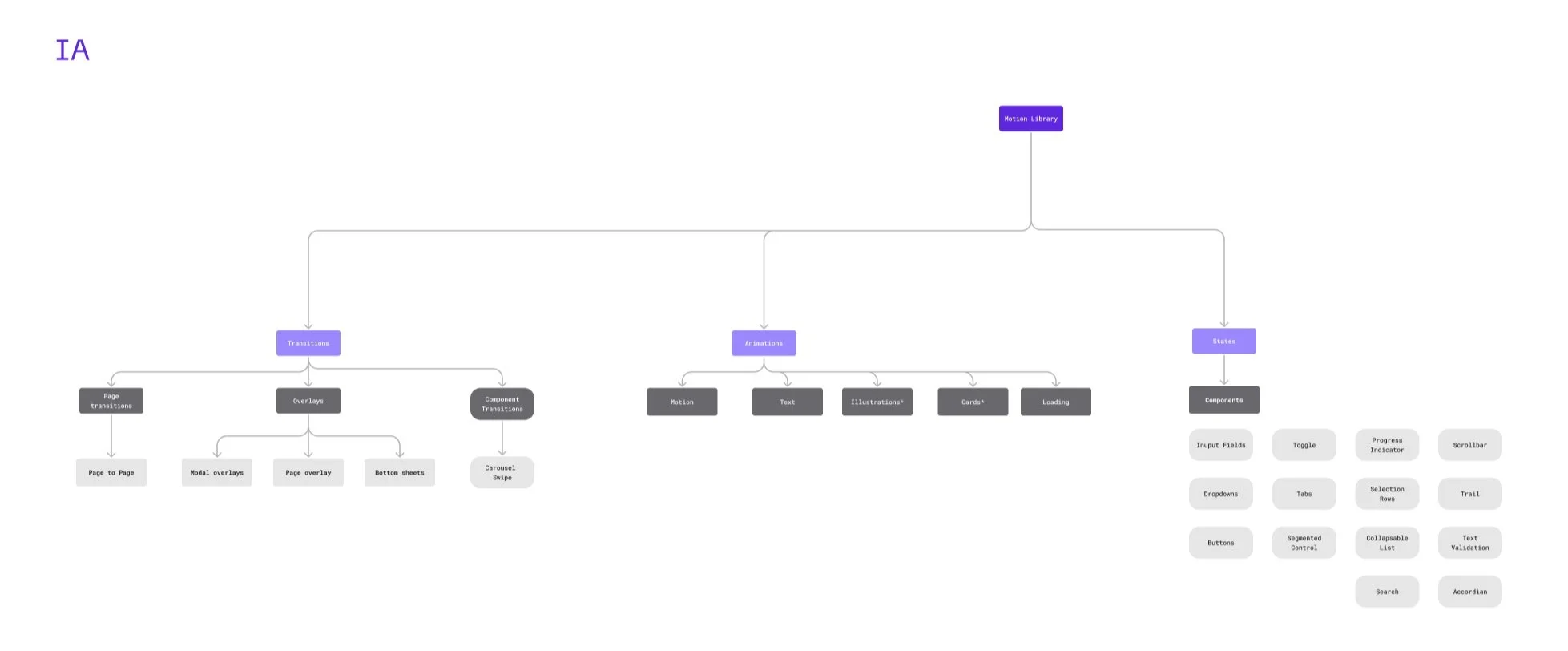
Smooth changes between different screens or states within the app.Loading Screens
Visual indicators that inform users about the ongoing processes and keep them engaged during wait times.Animations
Dynamic elements that enhance the user experience by adding visual interest and feedback.Component States
Different visual states of UI components to indicate interaction, status, or changes.
IA Structure
Documentation
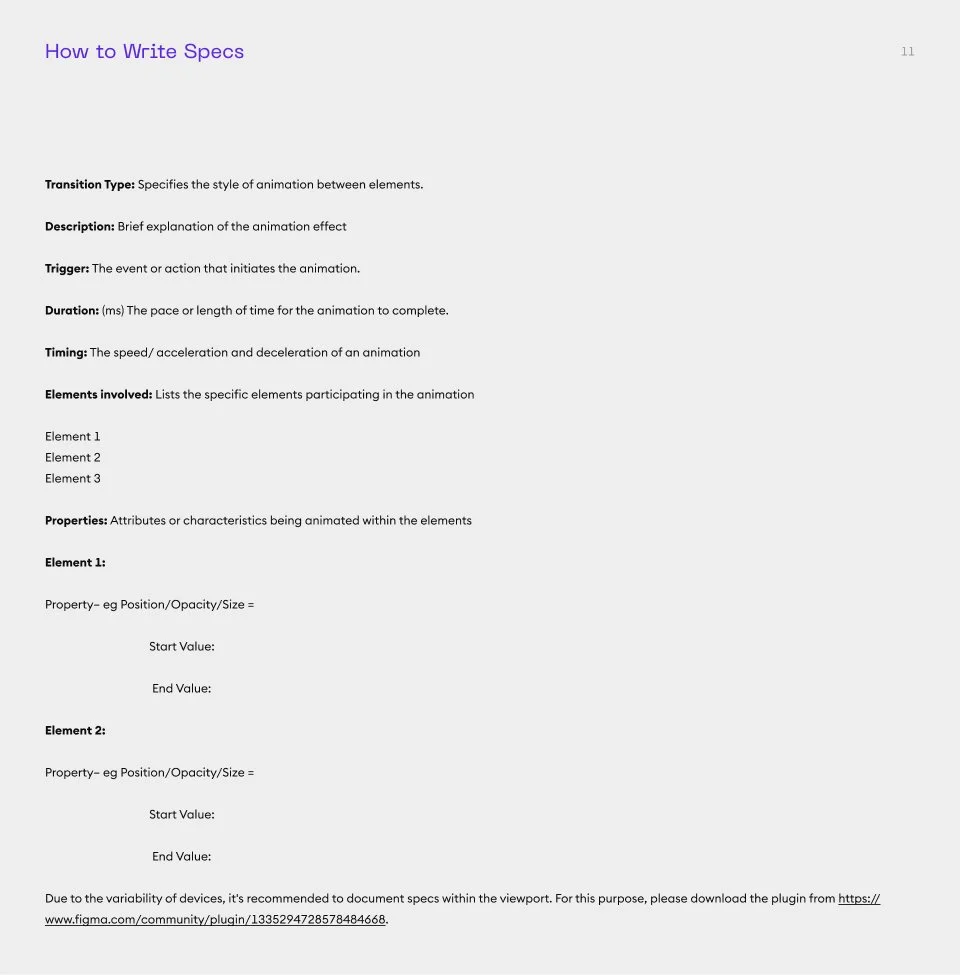
Motion Library Examples
Motion Library Contents
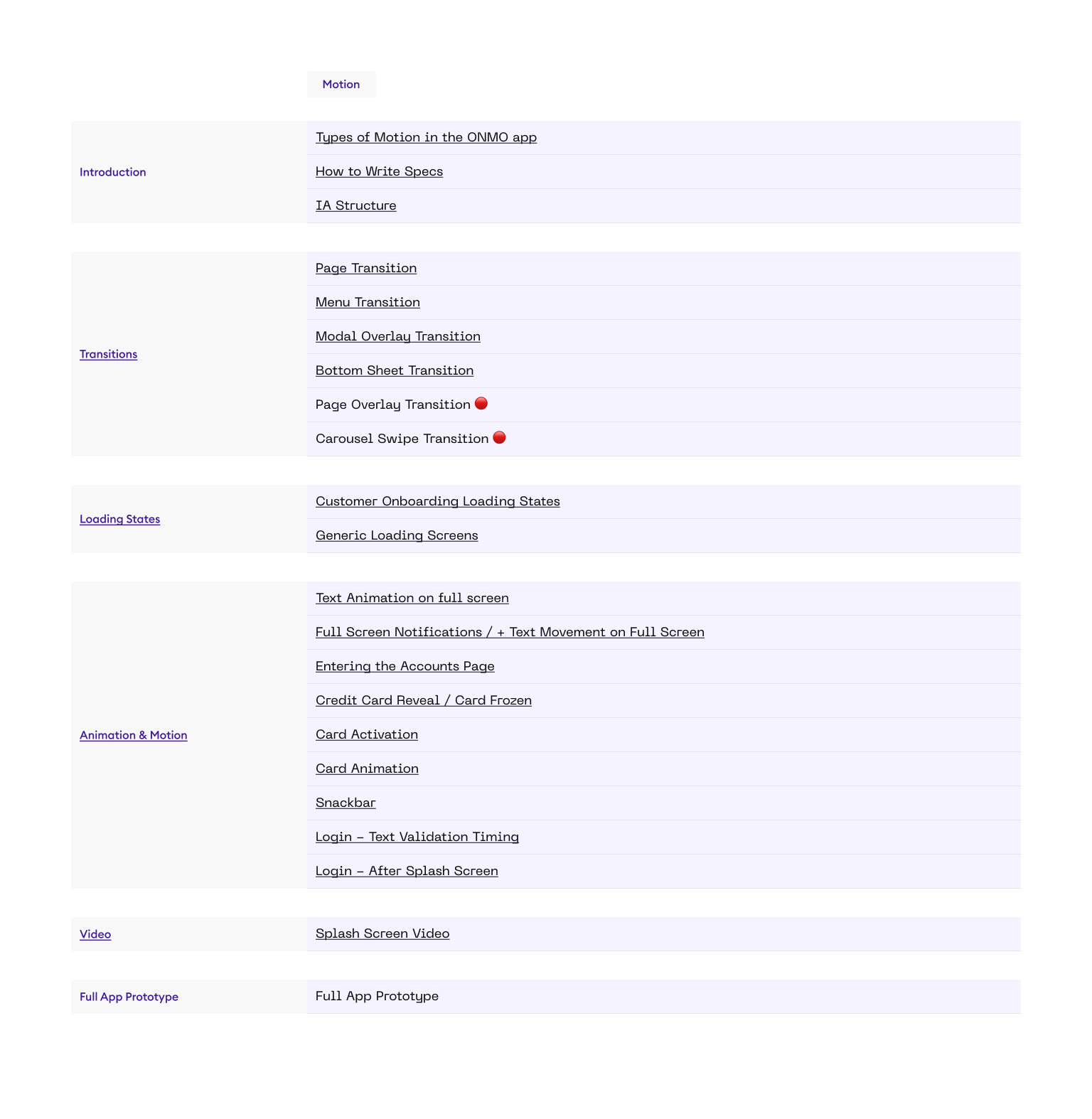
Extracts from Motion Library
Structure:
Section Name (Eg Transitions/Loading States/Animation)
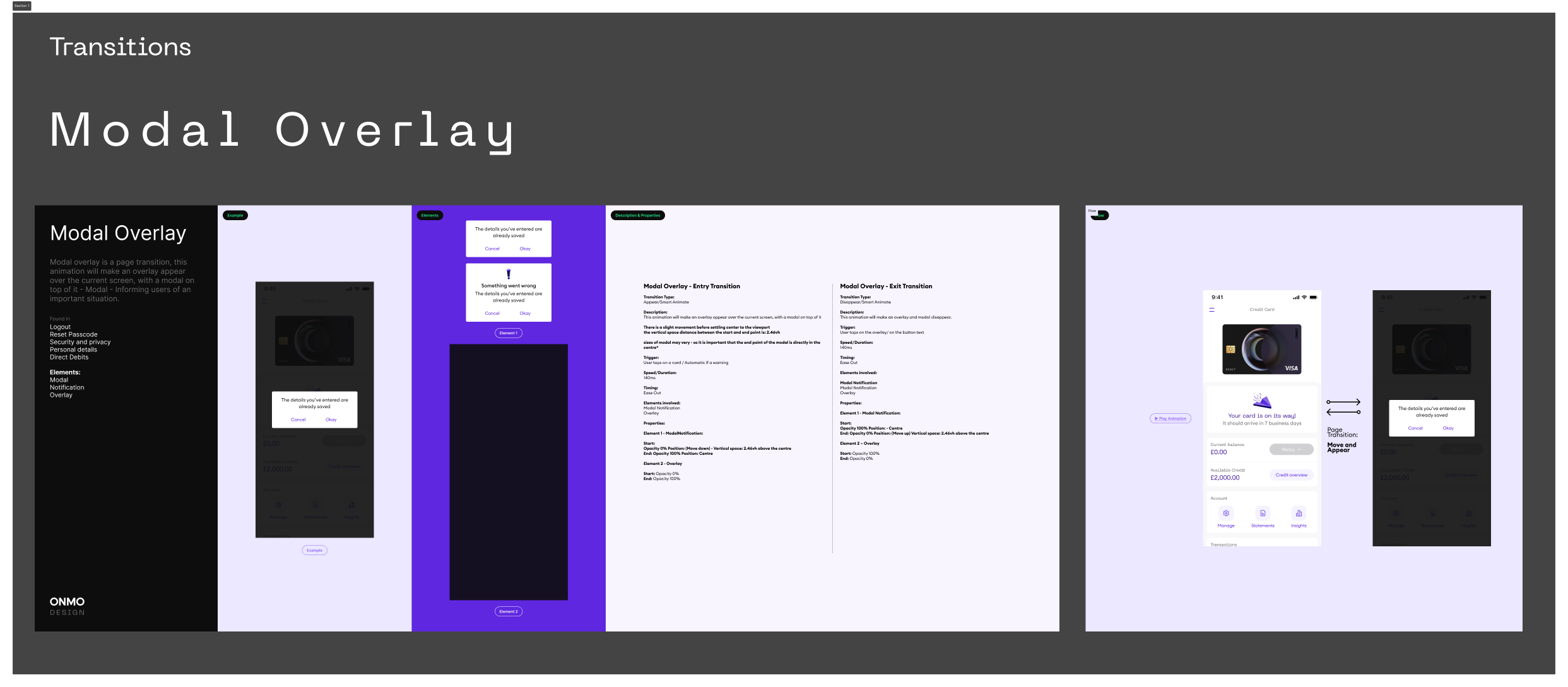
Name of Motion (Eg - Modal Overlay)
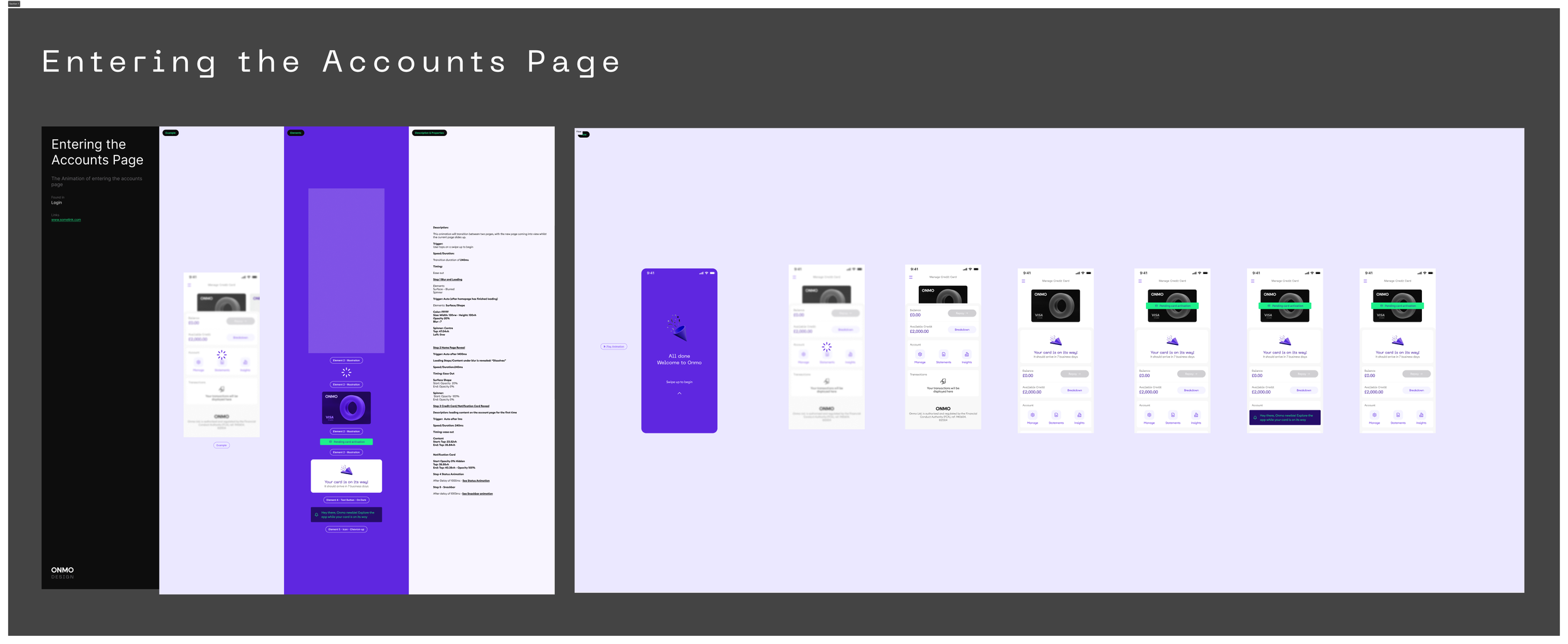
Example - The UI Screen
Elements - The components in the UI Screen that will be used in the motion
Description & Properties - Full documentation of the motion, including trigger, speed and the elements that are included.
Flow - The flow of the motion from screen to screen, with a prototype of the motion in action.
Motion in Motion